


Quick Summary
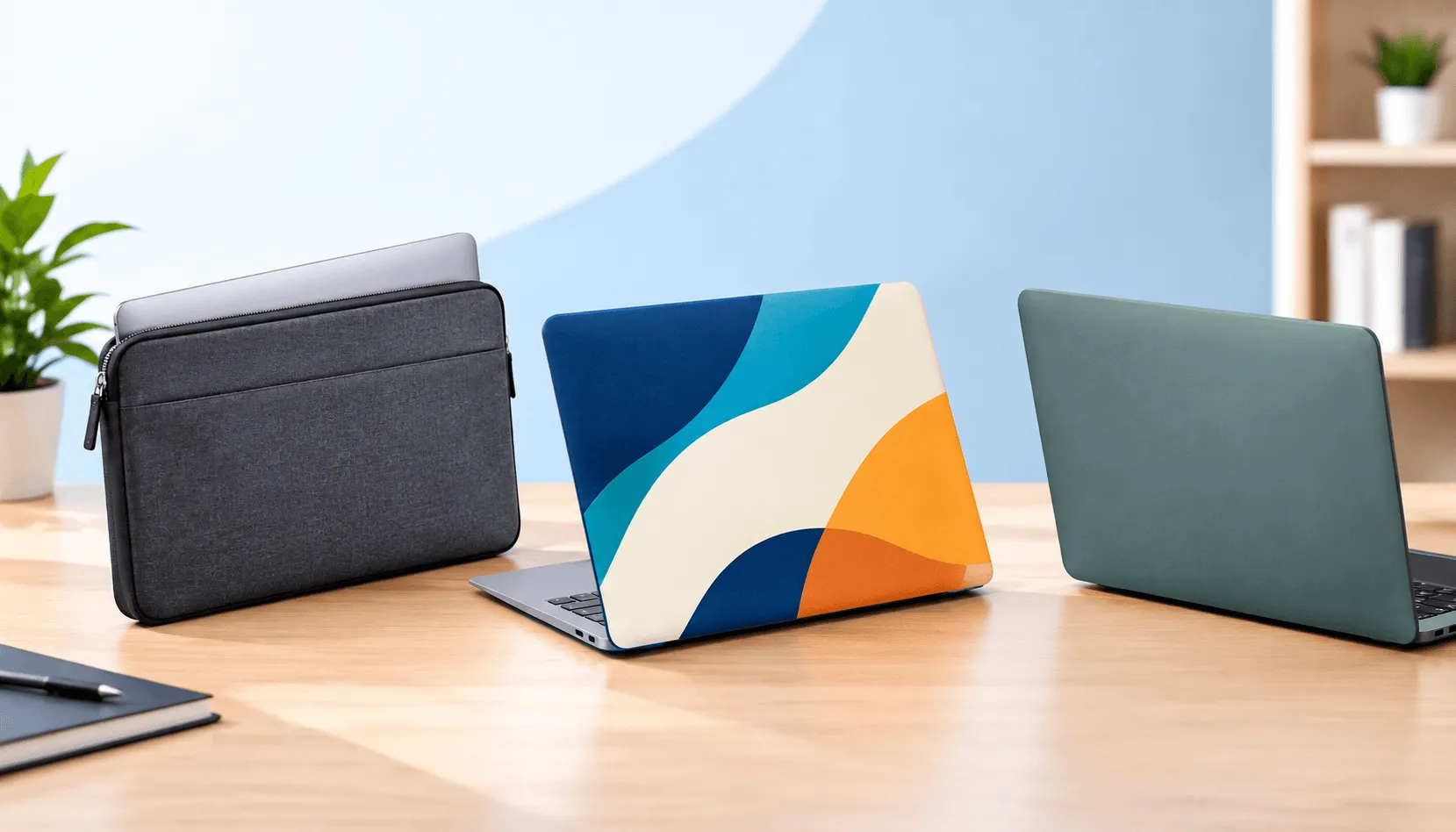
- A sleeve protects the laptop in transit and adds zero bulk while you work, because it comes off before the lid opens. It offers the biggest branding surface.
- A skin is a thin printed vinyl layer on the lid and base. It adds almost no thickness and shows your logo all day, but gives only scratch protection.
- A bumper or clip-on shell stays on the laptop and guards corners and edges from bumps. It adds some weight and thickness but protects during use.
- Pick by risk. Office and hybrid teams usually do well with a sleeve or skin. Field staff and students need a bumper, often paired with a sleeve.
- Never let branding sit between the screen and keyboard. Apple warns that even a camera cover thicker than 0.1 mm can damage a MacBook display when the lid closes.
Modern laptops are thin for a reason. The 13-inch MacBook Air (M5) measures 0.44 inches thick and weighs 2.7 pounds. The 14-inch MacBook Pro (M5) is 0.61 inches and 3.4 pounds. You can check any current model on Apple’s Mac comparison page. Nobody wants to undo that with a heavy case just to add a logo.
The good news is you don’t have to. There are three slim ways to put your brand on a laptop: a sleeve, a skin or a bumper. Each one handles protection, visibility and bulk in a different way. This guide compares them side by side so you can pick the right fit for your team, your devices and your budget.
Why Slim Branding Matters for Laptops
A laptop goes everywhere your team goes: client offices, airports, coffee shops, classrooms and home desks. A branded accessory turns each of those places into a small brand moment. PPAI’s Product Power 2026 study, a survey of more than 5,000 US consumers, found that close to 38% see branded tech items as a sign that a company is modern and relevant.
But people only keep using accessories that fit their routine. PPAI’s 5-Second Impact study found that usefulness is the top reason consumers keep branded items. A case that makes a laptop heavy or awkward ends up in a drawer. A slim one stays on the device and keeps your logo in view.
Sleeve vs Skin vs Bumper
A laptop sleeve is best for transit protection and a large, premium branding surface. A laptop skin is best for zero-bulk, always-visible branding with light scratch protection. A bumper or clip-on shell is best when the laptop needs protection from knocks while it is open and in use.
| Factor | Sleeve | Skin | Bumper / Shell |
| Bulk during use | None (removed to work) | Almost none | Some added thickness and weight |
| Protection | Bumps and scratches in transit | Scratches and scuffs only | Corners, edges and minor knocks |
| Brand visibility | High in transit and in meetings | Constant, lid always shows | Constant during use |
| Branding surface | Large front and back | Full lid, edge to edge | Lid shell, sometimes base |
| Branding methods | Print, emboss, deboss | Full-color digital print | Print on the shell |
| Best for | Hybrid teams, client gifts, onboarding | Events, sales teams, launches | Field teams, K-12, shared fleets |
Option 1: The Branded Laptop Sleeve
A sleeve is a slim, padded cover the laptop slides into for carrying. When it is time to work, the laptop comes out. That means the sleeve adds nothing to the device during use, and the laptop keeps its original thin profile on the desk.
Where a sleeve shines
- Transit protection: Padding guards against scratches, bag knocks and spills on the move.
- Big, clean branding area: Front and back panels give you room for a large logo or a full design.
- Premium feel: Leather and PU leather sleeves suit client gifts and executive kits. Our leather zip laptop sleeves and leather flap laptop sleeves take embossing or debossing well.
- Everyday value: Neoprene laptop sleeves are light, flexible and budget-friendly for large rollouts.
Where a sleeve falls short
It offers no protection once the laptop is out. If your team works in rough settings, a sleeve alone is not enough. It also has to fit well: a loose sleeve lets the laptop slide around and looks sloppy. Our guide to MacBook vs Windows laptop sleeve sizing explains why screen size alone does not tell you the right fit.
Option 2: The Custom Laptop Skin
A skin is a thin vinyl film with an adhesive back, printed with your design and cut to fit a specific laptop model. It covers the lid, and sometimes the base and palm rest area. It is the slimmest branding option by a wide margin.
Where a skin shines
- Almost no bulk: The laptop keeps its shape, weight and fit in any bag or dock.
- Always-on visibility: The lid faces the room every time someone opens the laptop in a meeting, a lounge or a conference hall.
- Full-color freedom: Skins handle photos, patterns, gradients and edge-to-edge brand color, which makes them strong for launches, events and campaigns.
Where a skin falls short
A skin protects against scratches and light scuffs, not drops or dents. Fit is also model-specific, so a mixed fleet needs a separate cut file for each model. Keep skins on the outside surfaces only. Apple’s guidance on MacBook camera covers says a cover should be no thicker than an average sheet of printer paper (0.1 mm), because the gap between the display and keyboard is tight. Anything placed on the display bezel or keyboard area can cause damage when the lid closes.
Option 3: The Laptop Bumper or Clip-On Shell
A bumper or shell stays on the laptop while it is in use. Clip-on hard shells snap onto the lid and base. Bumper designs focus on the corners and edges, where most drop damage starts. Either way, the laptop gets protection during use, not just in the bag.
Where a bumper shines
- Protection in use: Corners and edges are covered when the laptop sits on a counter, a cart or a classroom desk.
- Always on: The logo stays visible all day, just like a skin.
- Built for shared devices: Schools and field teams often choose bumpers for fleets that change hands. See our laptop bumper case and MacBook shell clip case.
Where a bumper falls short
This is the only one of the three that adds some thickness and weight while you work. It can also change how the laptop fits in a dock or a snug bag. Pick a shell designed for your exact model, with openings that line up with the ports and vents. Our comparison of hard shell vs neoprene laptop cases goes deeper on this trade-off.
Which Option Fits Your Team?
| Team or Use Case | Best Fit | Why |
| Hybrid and remote staff | Sleeve | Protects the commute, off the laptop at home |
| Sales and client-facing teams | Leather sleeve + skin | Premium carry, logo on show in meetings |
| Trade shows and launches | Skin | Bold full-color design, no bulk |
| Field service and site teams | Bumper + sleeve | Knock protection in use, cover in transit |
| K-12 and shared fleets | Bumper | Stays on through many hands and desks |
| New-hire onboarding kits | Sleeve | Useful on day one, high perceived value |
Many teams combine two options. A skin plus a sleeve, for example, keeps the laptop branded while in use and protected on the move, with almost no extra bulk. For remote workforces, our post on the best custom laptop sleeves for remote teams walks through what to order.
Branding Tips That Work Across All Three
- Start with your device list: MacBook Air, MacBook Pro, Windows and Chromebook models all differ in size, so every product needs the right template.
- Match the method to the material: Print suits neoprene, shells and vinyl. Embossing and debossing suit leather. Our guide on how to add your logo by embroidery, print or emboss compares the options.
- Keep logos off high-wear zones: Edges and corners rub first. Center your main mark on flat surfaces.
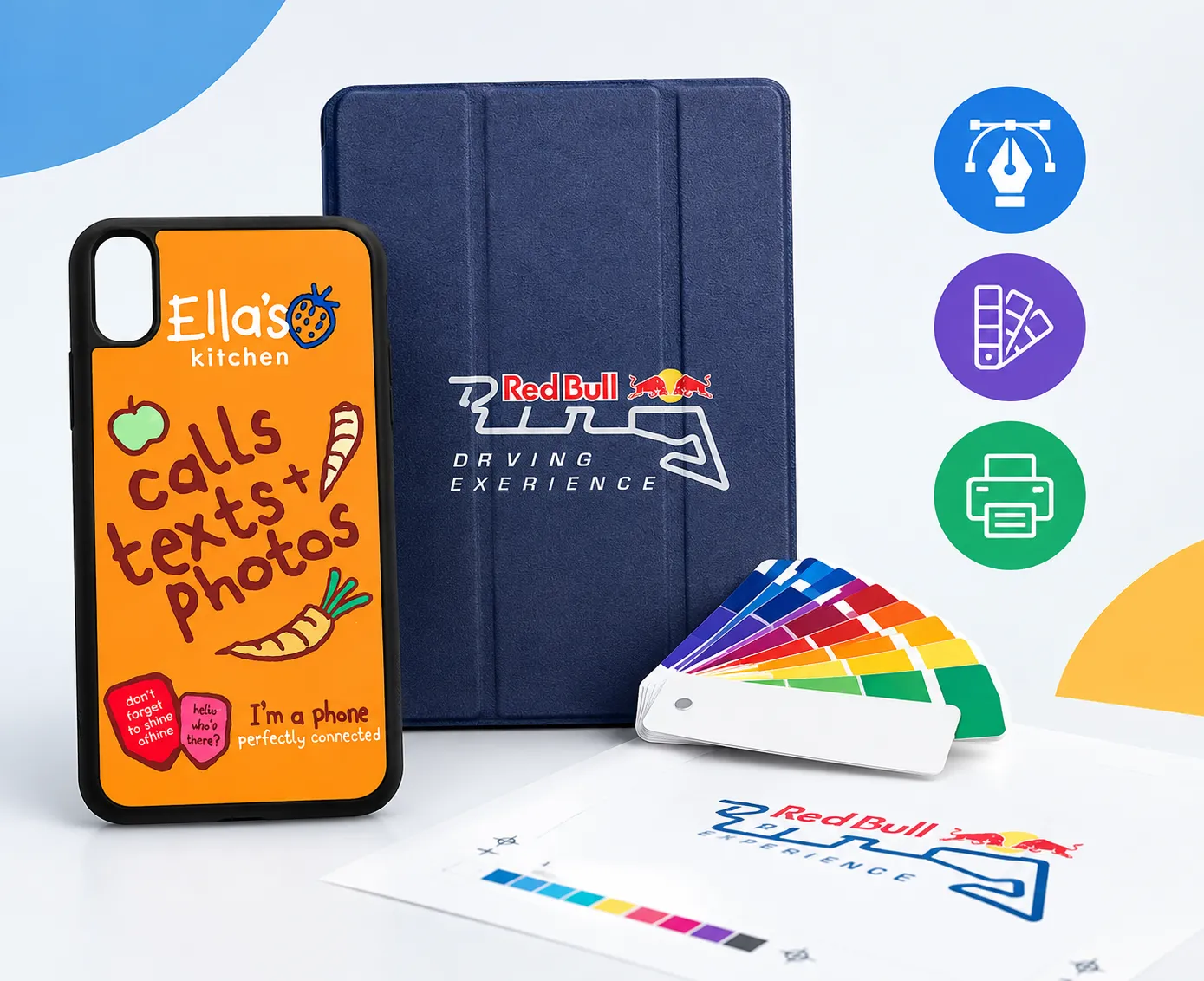
- Send vector artwork and Pantone codes: Custom Logo Cases Pantone matches logos, so your colors stay consistent across products.
- Approve a physical sample: Custom samples usually arrive within 7 to 10 days, so you can test fit and finish before the bulk order.
Planning a larger order? Our guide to bulk laptop sleeve orders covers MOQs, lead times and the questions to ask any supplier.
A Quick Word on Cost and Minimums
Pricing depends on material, size, quantity and branding method, so compare quotes on equal terms. As a guide, Custom Logo Cases lists neoprene laptop sleeves from $6.50 to $12 with a 20-unit minimum, and leather zip sleeves from $13 to $38 with a 10-unit minimum. Some styles, such as sleeves with handles, start at 100 units. Unit prices fall as quantities rise.
Frequently Asked Questions
What is the slimmest way to brand a laptop?
A custom skin is the slimmest option. It is a thin printed vinyl layer that adds almost no thickness or weight. A sleeve is next best, since it comes off before you open the laptop.
Is a laptop sleeve better than a hard shell case?
It depends on where the laptop gets used. A sleeve protects in transit and adds no bulk while you work. A hard shell or bumper protects during use but adds some thickness. Office teams often prefer sleeves; field teams and schools often need shells.
Do laptop skins protect against drops?
No. Skins guard against scratches and scuffs only. For drop and knock protection, pair a skin with a padded sleeve or choose a bumper case.
Can I combine a skin with a sleeve?
Yes, and it is a popular setup. The skin keeps your logo visible while the laptop is in use, and the sleeve protects it in transit. Together they add very little bulk.
Will a skin or case damage my MacBook?
Not when used correctly. Keep skins on the outer lid and base, never on the display bezel or keyboard. Apple warns that items thicker than 0.1 mm between the screen and keyboard can damage the display when the lid closes. For shells, choose one made for your exact model so ports and vents stay clear.
Final Thoughts
You don’t have to choose between a thin laptop and a branded one. A sleeve gives you protection and a premium canvas without touching the laptop’s profile. A skin puts your logo front and center with almost no added thickness. A bumper protects hard-working devices where damage actually happens. Start with how your team uses its laptops, then pick the option, or pair, that fits.

Bhushan spent the last 15+ years building businesses and learning what really matters to customers. At Custom Logo Cases, we help brands turn everyday tech accessories into high-quality, on-brand marketing tools.

The perfect pair! Custom Logo Cases TPU gel Apple iPhone Duo cases are in stock and ready for your custom creation ahead of the Apple iPhone Duo launch 🚀! Connect today for a complimentary proof and rendering. #AppleiphoneDuo #appleiphonecases #iphonecases #customiphonecases #CustomLogoCases ... See MoreSee Less
... See MoreSee Less
... See MoreSee Less